In the ever-evolving landscape of the digital age, online privacy and security have become paramount concerns for individuals and businesses alike. Virtual Private Networks, commonly known as VPNs, play a crucial role in safeguarding our online activities by creating a secure and private connection over the Internet. This article aims to provide a comprehensive understanding of VPNs, their functionalities, and a step-by-step guide on how to use them effectively.
1. What is a VPN?
A. Definition and Purpose:
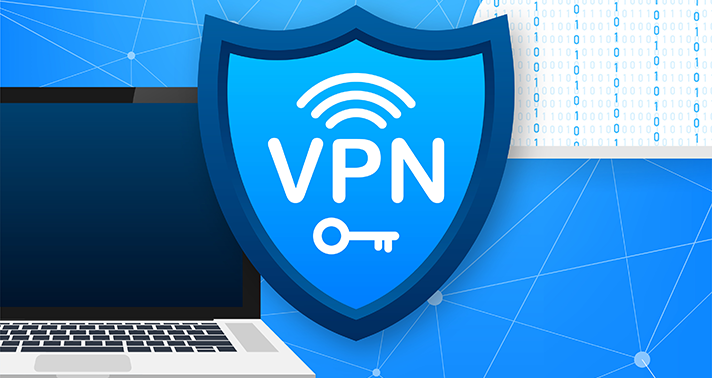
A Virtual Private Network (VPN) is a technology that establishes a secure and encrypted connection over the internet, allowing users to access resources, browse the web, and communicate while maintaining privacy and security. The primary purpose of a VPN is to create a private network over a public one, ensuring that sensitive data remains confidential and protected from potential threats.
B. How VPNs Work:
VPNs operate by encrypting data traffic between the user’s device and the VPN server, preventing unauthorized access and interception. This encryption process utilizes various protocols, such as OpenVPN, L2TP/IPsec, and IKEv2/IPsec, each offering different levels of security and performance.
2. Why Use a VPN?
A. Privacy Protection:
One of the main reasons individuals and organizations use VPNs is to enhance privacy. By masking the user’s IP address, VPNs prevent third parties, including ISPs (Internet Service Providers) and hackers, from monitoring online activities. This is particularly important when using public Wi-Fi networks, where the risk of data interception is higher.
B. Security Enhancement:
VPNs add an extra layer of security by encrypting data, making it challenging for cybercriminals to decipher and exploit. This is crucial for safeguarding sensitive information, such as login credentials, financial transactions, and business communications.
C. Bypassing Geo-restrictions:
VPN services allow users to access content that may be restricted based on geographical location. By connecting to a server in a different region, users can bypass geo-restrictions and access websites, streaming services, or online content that might otherwise be unavailable.
3. How to Use a VPN
A. Choosing a VPN Service:
Before using a VPN, it’s essential to select a reliable and reputable VPN service provider. Factors to consider include the provider’s privacy policy, server locations, encryption protocols, and user reviews. Popular VPN services include ExpressVPN, NordVPN, and CyberGhost.
B. Installing and Configuring the VPN:
1. Download and Install the VPN Client:
After selecting a VPN provider, visit their website to download the appropriate client for your device and operating system. Most VPN services support various platforms, including Windows, macOS, iOS, and Android.
2. Create an Account:
To use the VPN service, you’ll need to create an account on the provider’s website. This account will often require a username, password, and sometimes payment information for premium services.
3. Configure VPN Settings:
Once the client is installed, launch the application and log in with your credentials. Configure the VPN settings based on your preferences, such as choosing a server location, selecting the desired encryption protocol, and enabling features like a kill switch for added security.
C. Connecting and Disconnecting:
1. Select a Server:
Choose a server location from the available options provided by the VPN service. The server location can impact your internet speed and the ability to access region-specific content.
2. Connect to the VPN:
Click the “Connect” button within the VPN client to establish a secure connection to the chosen server. Once connected, your IP address will be masked, and your internet traffic will be encrypted.
3. Disconnect from the VPN:
When you’re done using the VPN, simply click the “Disconnect” button within the VPN client to revert to your regular internet connection.
4. Tips for Using VPNs Effectively
A. Regularly Update the VPN Client:
To ensure optimal security and performance, keep the VPN client up to date by installing updates and patches released by the provider.
B. Choose the Right Server:
Selecting the appropriate server location is crucial for achieving the desired online experience. If privacy is your main concern, connect to a server in a privacy-friendly jurisdiction.
C. Understand Limitations:
While VPNs offer increased privacy and security, they may not make you completely anonymous online. Be aware of the limitations and use additional security measures as needed.
Conclusion:
In conclusion, Virtual Private Networks are powerful tools that empower individuals and organizations to secure their online activities, protect sensitive information, and bypass geo-restrictions. By understanding what VPNs are, why they are essential, and how to use them effectively, users can take control of their online privacy and enjoy a safer and more secure digital experience. As technology continues to advance, the role of VPNs in safeguarding our online world is likely to become even more crucial.