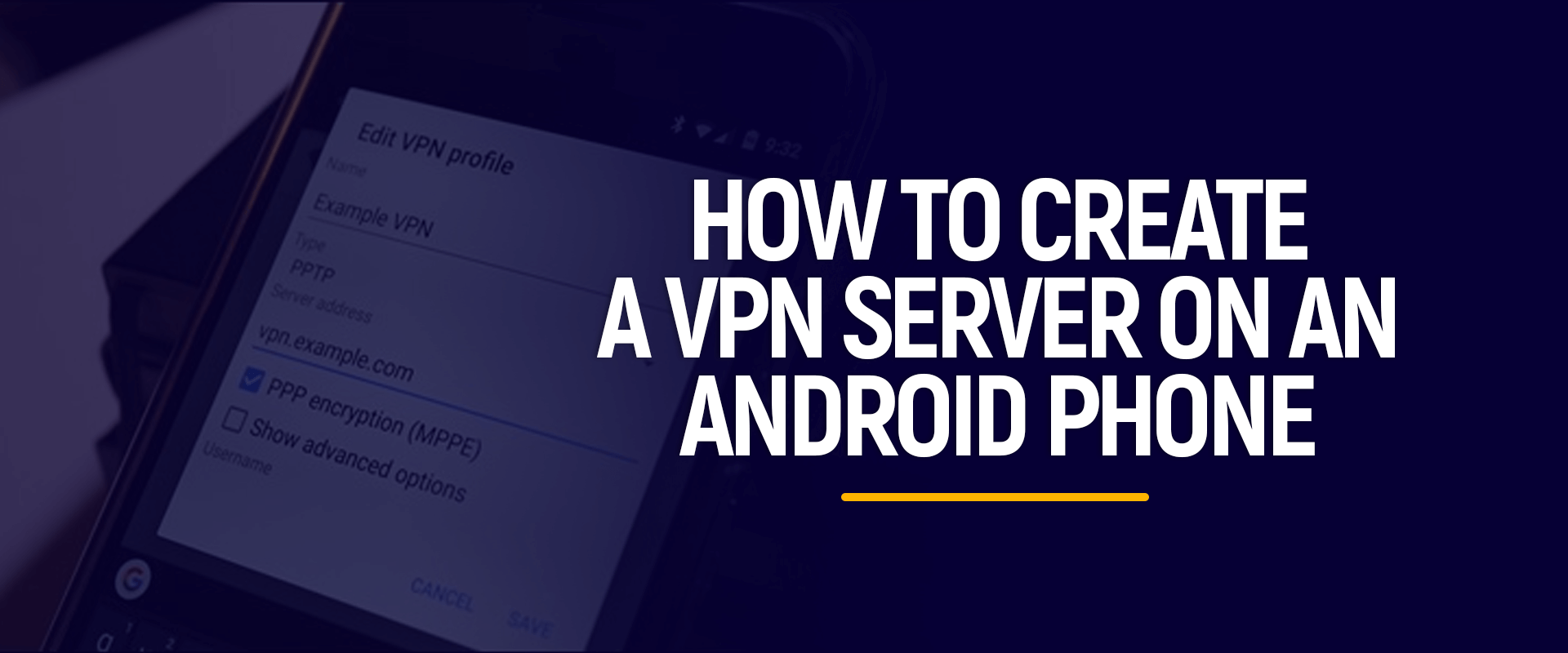
As our lives become increasingly intertwined with the digital landscape, concerns about online privacy and security have never been more pertinent. In the realm of Android devices, Virtual Private Networks (VPNs) emerge as formidable allies, offering a shield against potential threats and providing a secure pathway for our online activities. This article aims to unravel the world of VPNs in the context of Android, explaining what they are, and why they are essential, and providing a step-by-step guide on how to use them effectively.
1. What is a VPN on Android?
A. Definition and Purpose:
A Virtual Private Network (VPN) on Android serves the same fundamental purpose as its counterparts on other platforms. It establishes a secure and encrypted connection over the internet, safeguarding the user’s online activities from prying eyes. The primary function is to create a private network within the public internet, ensuring that sensitive data remains confidential and secure.
B. How Android VPNs Work:
Android VPNs operate by encrypting the data traffic between the user’s device and the VPN server. This encryption is vital in preventing unauthorized access and ensuring that sensitive information, such as login credentials and personal data, remains protected. Android devices support various VPN protocols, including OpenVPN, L2TP/IPsec, and IKEv2/IPsec, allowing users to choose the level of security that suits their needs.
2. Why Use a VPN on Android?
A. Privacy on Public Networks:
Android VPNs play a crucial role in enhancing privacy, especially when connecting to public Wi-Fi networks. These networks, often found in cafes, airports, or hotels, are breeding grounds for potential cyber threats. By encrypting the connection, VPNs shield users from the risks associated with unsecured public Wi-Fi.
B. Bypassing Geo-restrictions:
One of the perks of using a VPN on Android is the ability to bypass geographical restrictions. Whether you want to access region-specific content or use services not available in your location, a VPN can make it appear as though your device is accessing the internet from a different location.
C. Enhanced Security:
In addition to privacy, Android VPNs add an extra layer of security by encrypting data. This is crucial for protecting sensitive information from cybercriminals, especially when conducting financial transactions or accessing confidential business data on the go.
3. How to Use a VPN on Android:
A. Selecting a VPN App:
The first step in using a VPN on Android is to choose a reliable VPN app from the Google Play Store. Popular options include ExpressVPN, NordVPN, and CyberGhost. Look for apps that are user-friendly and offer a range of server locations.
B. Installing and Configuring the VPN:
1. Download and Install the App:
After selecting a VPN app, download and install it on your Android device.
2. Create an Account:
Most VPN apps require users to create an account. This typically involves providing an email address, creating a password, and, in some cases, selecting a subscription plan.
3. Configure VPN Settings:
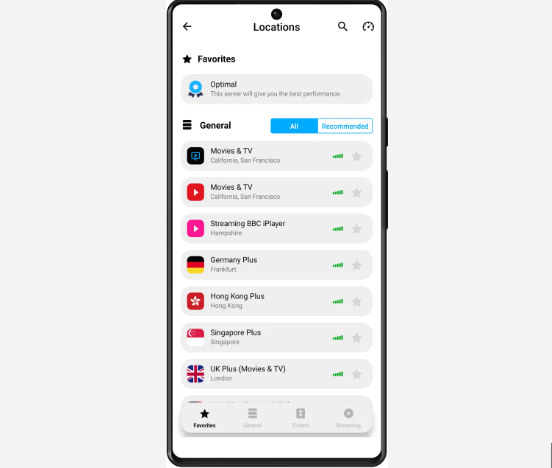
Launch the VPN app, log in with your credentials, and configure the settings according to your preferences. This may include choosing a server location, selecting a VPN protocol, and customizing other security features.
C. Connecting and Disconnecting:
1. Connect to a Server:
Once the app is configured, choose a server location and tap the “Connect” button to establish a secure connection.
2. Disconnect from the VPN:
When you no longer need the VPN connection, return to the app and tap the “Disconnect” button.
4. Tips for Optimizing VPN Use on Android:
A. Enable Always-On VPN:
Some Android devices offer an “Always-On VPN” feature, ensuring that the VPN connection is re-established if it gets interrupted, providing continuous protection.
B. Use Trusted VPN Services:
Choose reputable VPN services with positive reviews to ensure reliability, security, and privacy.
C. Regularly Update the VPN App:
Keep the VPN app up to date by installing updates to benefit from security patches and improved features.
Free VPN for Android without registration
1. ProtonVPN:
ProtonVPN offers a free plan with unlimited bandwidth and no data caps. It prioritizes user privacy, employing strong encryption and a strict no-logs policy. While the free version has a limited number of servers, users still benefit from excellent security features, including a kill switch.
2. Windscribe:
Windscribe’s free plan provides users with 10 GB of monthly data, making it an attractive option for occasional users. It boasts a user-friendly interface and supports strong encryption protocols. Windscribe also includes a feature called “R.O.B.E.R.T.” for ad and malware blocking.
3. TunnelBear:
TunnelBear is known for its friendly and easy-to-use interface. The free version provides 500 MB of data per month, which can be increased to 1.5 GB if you tweet about the service. It has servers in over 20 countries and employs robust security measures.
4. Hotspot Shield:
Hotspot Shield offers a free version with a user-friendly interface and 500 MB of daily data. It provides secure and private browsing, utilizing military-grade encryption. Hotspot Shield’s technology is designed to detect and block malware, providing an additional layer of security.
5. Hide me:
With a generous 10 GB of monthly data, Hide.me’s free plan is an appealing choice. It supports various VPN protocols and offers strong encryption. The service has servers in multiple locations, ensuring reliable and secure connections.
6. Speedify:
Speedify focuses on optimizing internet speeds by combining multiple connections. The free plan comes with 2 GB of monthly data. It is ideal for users seeking a balance between performance and security, especially in situations with multiple available networks.
7. Opera VPN:
Opera’s built-in VPN is a simple and convenient solution for users of the Opera browser. While it doesn’t offer the same level of features as standalone VPNs, it provides a basic level of privacy and is entirely free, making it a suitable option for casual users.
8. Betternet:
Betternet provides unlimited bandwidth in its free version, making it attractive for users with high data requirements. It is easy to use, with a one-tap connection feature. While its server locations are limited, it still ensures basic online privacy.
9. Hola VPN:
Hola VPN operates on a peer-to-peer network, allowing users to access content from other users’ devices. While this approach raises some privacy concerns, it offers a unique way to access geo-restricted content for free. Users should be aware of the potential risks associated with this model.
10. Atlas VPN:
Atlas VPN offers a free plan with unlimited data and access to a global server network. It prioritizes user privacy with a no-logs policy. While its free version has ads, it provides a reliable and secure VPN experience for Android users.
Note: While free VPNs offer basic protection, premium VPN services often provide additional features, better performance, and enhanced security. Users should carefully consider their needs and the terms of service when choosing a VPN.
Conclusion:
In a world where digital security is paramount, integrating a VPN into your Android experience is a wise decision. By understanding what a VPN is, why it’s crucial, and how to use it effectively on Android, users can navigate the online landscape with confidence, knowing that their data is secure and their privacy is protected. Embrace the power of VPNs on Android to unlock a safer and more secure digital journey.